Best Steam Deck Accessories for Strategy, City Builders and Colony Sims
The Steam Deck accessories that actually help management games: a dock for readable menus, a keyboard with a touchpad, more storage, less glare, and power for long sessions.
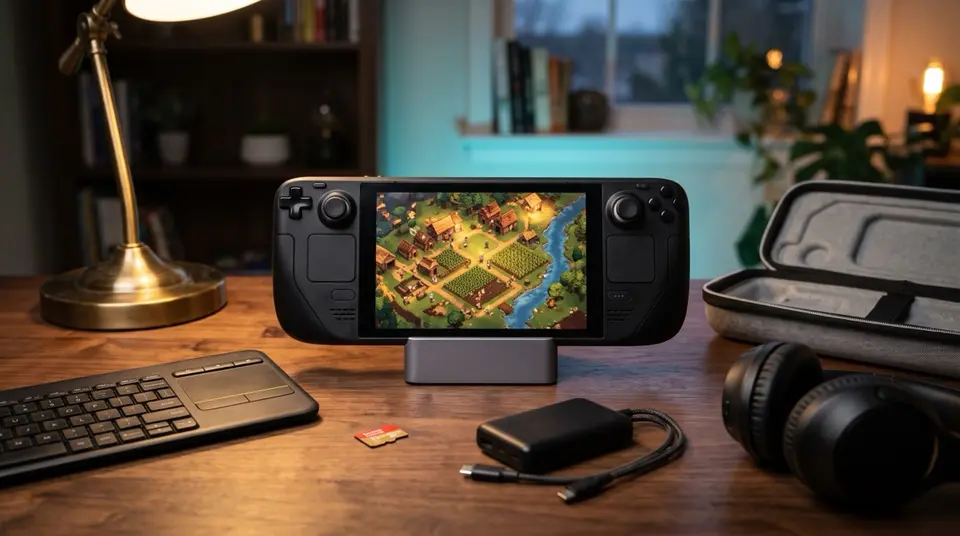
Most Steam Deck accessory lists are written for shooters and action games. Grips, triggers, faster screens.
Strategy, city builders, and colony sims have different problems.
The text is small. The menus are dense. You need a precise cursor more than fast reactions. And a "quick session" in RimWorld or Timberborn has a habit of turning into three hours.
So this list only includes accessories that fix one of those problems. If an accessory does not make a management game easier to read, control, store, or play for longer, it is not here.
If you are still choosing what to play, start with our best colony sims for Steam Deck guide.
Quick take
- Best upgrade overall: the JSAUX 6-in-1 dock. Put dense menus on a big screen and use a mouse and keyboard.
- Best for couch play: the Logitech K400 Plus. Keyboard and touchpad in one.
- Best for a growing library: the SanDisk Extreme 1TB microSD.
- Best cheap readability fix: the JSAUX anti-glare screen protector.
- Best for long sessions away from a plug: the Anker 20,000mAh power bank.
- Best for comfort: the Skull & Co. GripCase SD.
- Best for travel: the JSAUX carrying case.
What management games need from the Deck
Three things decide whether a colony sim or city builder feels good on handheld.
Readability. Tooltips, resource bars, and needs panels were designed for a 27-inch monitor. On a 7-inch screen, readability is usually the first thing to break.
Cursor control. The trackpads work, but placing zones, dragging roads, and clicking small icons is still slower than a mouse. Hotkeys help even more, and the Deck has no keyboard.
Long sessions. These games are built on "one more day" or "one more cycle." That means battery, storage for several big libraries, and hands that are still comfortable at hour three.
Every pick below fixes one of these.
The picks
JSAUX 6-in-1 dock
This is the upgrade that changes the most for this genre.
A dock connects the Deck to a monitor or TV over HDMI, charges it, and gives you USB ports for a mouse and keyboard. RimWorld, Oxygen Not Included, and Dwarf Fortress go from "squint at the corner of the screen" to a normal PC setup. When you undock, the same save goes with you.
It also has Ethernet, which helps with large downloads and Steam Cloud syncs.

JSAUX 6-in-1 Steam Deck Dock
Play on a monitor with mouse and keyboard when menus get too small on the Deck.
Logitech K400 Plus
If the Deck is docked to a TV, this is the most useful thing to have on the couch.
It is a full keyboard with a touchpad built in, running off one small USB receiver that plugs into the dock. You get real hotkeys for speed controls, build menus, and pause, plus a cursor that is easier to aim than the Deck's trackpads when the screen is across the room.
For desk play, any wired mouse and keyboard will do. The K400 Plus is for when you want strategy games on the TV without a desk.

Logitech K400 Plus
Keyboard and touchpad in one: hotkeys and a precise cursor from the couch.
SanDisk Extreme 1TB microSD
Management games are not huge on their own, but libraries grow fast. Add mods, DLC, and a few city builders, and the internal drive fills up.
A large microSD card means you stop deleting one game to make room for the next. Most strategy and colony sims are not streaming big open worlds, so running them from the card works well for this genre.

SanDisk Extreme 1TB microSD
Room for your whole colony sim library without juggling installs on the Deck.
JSAUX anti-glare screen protector
Glare hits management games harder than most. Dark colony maps and thin white text are exactly what reflections wash out.
A matte protector cuts those reflections, so you can play near a window or under a lamp and still read the resource bar. The trade-off is a slightly softer image, which most players won't notice at handheld distance. It is the cheapest readability fix on this list, and the pack comes with two.

JSAUX Anti-Glare Screen Protector (2-Pack)
Matte glass that cuts the glare washing out small menu text.
Anker 20,000mAh power bank
Colony sims are lighter than action games, but long sessions still drain the battery, especially on the original LCD Deck.
This power bank delivers up to 65W to a single device and has a built-in USB-C cable, so there is no extra cable to carry. That is enough to charge the Deck while you play, which matters on a train or a flight when a session runs long.

Anker 20,000mAh Power Bank (87W)
Up to 65W to one device and a built-in USB-C cable. Charges the Deck while you play.
Skull & Co. GripCase SD
Management games mean long stretches of holding the Deck still while you read and plan. Textured grips make that more comfortable.
This case also has a built-in kickstand. Stand the Deck on a table, pause, and read the event log without holding it. It has a USB-C cutout so the Deck still fits in a dock.

Skull & Co. GripCase SD
Textured grips and a kickstand, and the Deck still fits the dock.
JSAUX carrying case
If the Deck leaves the house, a hard-shell case is the one accessory you should not skip. This one is large enough to hold the charger and a small dock as well as the Deck, so your docked setup travels with you.

JSAUX Steam Deck Carrying Case
Hard-shell case with room for the charger and dock.
Also worth a look: a headset
Colony sims are full of audio cues: raids, alerts, weather, machinery breaking down. A comfortable headset helps you catch them on long sessions. The HyperX Cloud III S connects over Bluetooth or its own wireless USB-C dongle, which plugs straight into the Deck.
What to buy first
It depends on where you play.
- At a desk: the dock first. Plug in a monitor, mouse, and keyboard you already own.
- On the couch with a TV: the dock plus the K400 Plus.
- Mostly handheld at home: the anti-glare protector and the GripCase. Both are cheap, and both fix things you notice every session.
- Mostly travelling: the carrying case, then the power bank.
- Running out of space: the microSD card. Nothing else fixes that.
What you can skip
Controller add-ons such as back-paddle mods and trigger grips are built for action games. Strategy games barely use them.
Swapping the internal SSD is a bigger job than this genre needs. A microSD card gives most management players enough space without opening the Deck.
Cooling fans and clip-on fans are aimed at heavy 3D games. Most colony sims and city builders don't push the Deck hard enough to need one.
FAQ
What is the best Steam Deck accessory for strategy games?
A dock. It puts dense menus and small text on a monitor or TV and lets you use a mouse and keyboard, which fixes the biggest problems strategy games have on handheld.
Do I need a mouse and keyboard for colony sims on Steam Deck?
No. Many colony sims work fine with the trackpads in handheld mode. A mouse and keyboard help most when you are docked, or when a game relies on lots of hotkeys.
Is a microSD card fast enough for city builders and colony sims?
For most management games, yes. They are not streaming large open worlds, so load times from a fast card like the SanDisk Extreme are fine for this genre.
Does an anti-glare screen protector make the screen blurry?
A matte protector softens the image slightly. Most players find that a fair trade for reading small text under room lights, but if you mostly play in a dim room, you can skip it.
Which colony sims work best on Steam Deck?
See our best colony sims for Steam Deck guide. It ranks them by controls, readability, and how well they fit short portable sessions.
Takeaway
Management games on the Steam Deck have three problems: small text, slow cursor control, and sessions that run long.
The dock fixes the first two. The microSD card, power bank, and case handle the third.
Start with whichever of those you run into most.