Anno 1800 Production Chains Guide: Fix Shortages
12 min read
Fix shortages in Anno 1800 by tracing bread and rum through production, storage, shipping, and demand. Learn what to check before you build more.
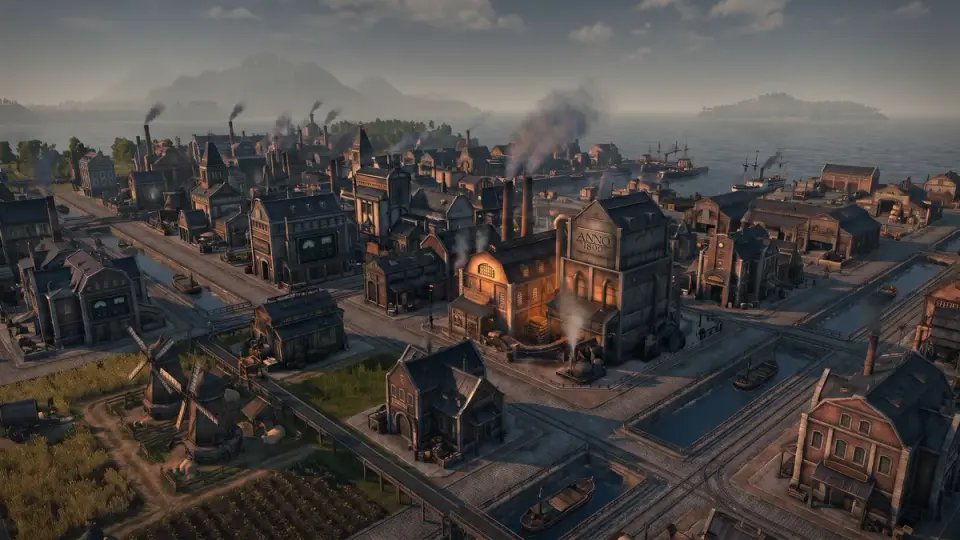
A second bakery won't help if the first one is still waiting for flour. When the same shortage keeps coming back, don't build first. Open Statistics for the island that ran out, pick the one good that's missing, and compare its production rate with its consumption rate. Then watch whether the stock falls steadily or drops between deliveries, and trace the chain back to the one stage that is actually failing.
The goal isn't a district where every building runs flat out. The goal is an island where stock holds steady and you can step away. That is a better win than perfect ratios, and it costs less.
Quick take:
- Bread runs out but bakeries exist? Start at the bakery and trace backward to the mill and the grain farms.
- A building shows a red icon? Read the icon before you build anything. It tells you whether the problem is an input, the output, or workforce.
- Rum hits zero between ships? Compare stock at the source when the ship calls with what lands at the destination.
- Everything runs and you're still short? Only then add capacity, at the stage that can't keep up.
Reading production statistics for one island
Start in the Statistics menu, not on the map. On the left side of the menu, you can choose all islands, a group of islands, or one specific island. Choose the island where the shortage shows up. The empire-wide view hides exactly the problem you're hunting, because a surplus on one island can mask a deficit on another.
 View on Steam
Anno 1800's core features are trade routes, production chains, multi-region expansion, online co-op. Shortages get confusing because a good can be made on one island, stored on another, and consumed on a third. Statistics separates those layers, but you have to ask it about the right island.
In the Production tab, each good has a bar with two numbers at the end. They show tons produced and tons consumed per minute on the island you selected. If consumption is higher than production, the island can't cover its own demand. That alone doesn't tell you why, and it says nothing about goods arriving or leaving by ship.
Then watch the island's stock of that good for a few minutes:
- Stock falls steadily and never recovers. The island is short, either because production is too low or because something is stopping it.
- Stock rebounds in jumps, then drains to zero. Something is arriving in batches, usually by ship, and the batches or the gaps between them don't cover demand.
- Stock sits near zero, but the consumers stay supplied. Goods are flowing straight from producer to consumer. That's tight but working, and it isn't a shortage yet.
Mistaking that third case for a shortage wastes more time than almost anything else. Low stock while every building runs is goods in motion, not an interruption. To tell the two apart, look at the building buffers and check whether the next stage keeps working.
Tracing the bread production chain backward
The Anno 1800 bread production chain has three stages. Grain farms grow grain, flour mills turn grain into flour, and bakeries turn flour into bread. When your workers keep running out of bread, start at the end of the chain and work backward. The first stage that stops feeding the next one is your problem.
Start at the bakery
A bakery takes 60 seconds to make 1 ton of bread from 1 ton of flour. That works out to 1 ton per minute at full productivity, and it eats 1 ton of flour per minute to get there. Click each bakery and look at three things: the icon above it, its flour input, and its bread output.
- Flour input reads 0 in red, with a red crate icon above the building. The bakery is missing its input, and production halts at 0%. Go to the mill.
- "Output storage full" in the menu, with a red full-storage icon. Bread has been made but not moved, and production halts at 0%. This is a transport problem, covered in the next section.
- No icon, flour present, production running. The bakery is doing its job. If bread is still short, the problem is either other bakeries or a real capacity gap.
Then the flour mill
If the bakeries are starving, click the mill and run the same check. A mill showing "Output storage full" while bakeries sit at 0 flour is a classic case of goods stuck between two working buildings. The flour exists, but nothing carries it to the bakery. If the mill instead shows its grain input at 0 in red, keep walking back.
Then the grain farms
The farm is the first stage, so a farm problem starves everything downstream. Check whether the farms carry any warning icon and whether their output reaches the mill. A farm with too few fields placed around it produces slowly even without a warning, so look at the layout as well as the icons.
When the bakeries really are too few
If every stage runs without icons and production is still below consumption, you've found a genuine capacity shortfall. This is the one case where a quick calculation pays off. Say your Statistics show bread production of 2 tons per minute and consumption of 3.5 tons per minute on an island with three bakeries. Replace those numbers with your own.
Three bakeries at 1 ton per minute each should make 3 tons per minute. Your Statistics show 2, so 1 ton per minute is being lost to idle or understaffed bakeries. Fix that first. With all three running, you're at 3 against 3.5, still 0.5 short, so a fourth bakery is justified and brings capacity to 4 tons per minute.
That fourth bakery needs another 1 ton of flour per minute. Before you place it, check flour production against flour consumption in the same Production tab. Otherwise you've just built a bakery that waits.
Why a building sits idle or backs up
Every warning icon points to a different fix. Read it before you change anything.
| Icon above building | What the menu shows | What it means |
|---|---|---|
| Red crate | Input at 0, in red | Missing input |
| Red full storage | "Output storage full" | Output can't leave |
| Blue pause (II) | Paused banner | You paused it |
| Red person | Workforce in red | Not enough workers |
A paused building freezes its cycle at 0%. It's easy to pause a bakery while rearranging a district and forget about it. A workforce shortage is subtler, because productivity scales down in proportion to the missing workers rather than stopping outright. A bakery at half staff makes half the bread, and Statistics shows the drop without any red crate to warn you.
A backed-up output has two possible causes. Either all of the building's carts are busy, or the island's storage for that good is full. When the good is short on the island, full storage is unlikely, so look at movement first.
For a building's carts to reach a warehouse, two things must be true. The building and the warehouse need a road connecting them, and the warehouse must sit within the building's range. A bakery placed just outside a warehouse's reach, or cut off by a removed road tile, will fill its output and stop even though everything looks connected at a glance.
If roads and range are fine but carts are always busy, the warehouse is too far away or too crowded. A closer warehouse shortens each cart trip and clears the backlog faster than a new production building would.
Following rum supply across regions
Rum shows how the answer changes when production and consumption happen on different islands. A rum distillery in the New World takes 30 seconds to make 1 ton of rum from 1 ton of wood and 1 ton of sugar cane. At full productivity, each distillery turns out 2 tons of rum per minute and needs 2 tons of each input per minute to do it. The rum then has to cross the ocean before anyone in the Old World drinks it.
When your Old World rum stock drops to zero between deliveries, Statistics for the Old World island will show consumption with little or no local production. That's expected, because the rum is imported. The real questions are how much rum leaves the source, how much arrives, and how long the destination has to wait. Make three checks in order.
Stock at the source when the ship calls
Watch rum stock on the producing island just before the ship loads, not only after it leaves. If the source has plenty of rum sitting there, production isn't your problem. If the ship arrives to an empty warehouse, it can only load what's there.
Pickup compared with drop-off
Compare what the ship takes at the source with what it unloads at the destination. If the ship loads a full amount and the destination receives far less, the route is unloading somewhere else first, or the ship's cargo is going to another stop. If the pickup itself is small while the source sits full, the route's load settings are the bottleneck. In both cases, the fix lives in the route, so set up or fix your first Anno 1800 trade route.
Destination stock before the next arrival
Watch Old World rum stock just before the ship returns, not just after it unloads. That low point is the honest measure of your supply. To find how much each delivery must carry, multiply the island's rum consumption per minute from Statistics by the minutes between arrivals. If the stock right after unloading is smaller than that figure, the island will run dry before the next ship, however reliably the ship shows up.
Read the three checks together:
- Source stock steady, little reaching the destination: a delivery problem. Fix the route, not the distilleries.
- Repeated short pickups with an empty source: a production problem, or something else drawing on the same rum, such as another route or local demand on the New World island. Trace the distillery the same way you traced the bakery: wood, sugar cane, then output.
- Stock refills, then hits zero every cycle: check both the total delivered per trip and the gap between arrivals. Either a larger load or a shorter gap closes it.
Deciding which fix to make first
Every diagnosis above ends in one of four changes. Make only the one your checks point to:
- Restore the missing input. If a stage shows a red crate icon, fix the stage that feeds it, whether that means more fields, more workers, or an unpaused building.
- Unblock local transport. If a stage shows "Output storage full" while the good is scarce, reconnect roads, bring a warehouse within range, or add one closer to the cluster.
- Fix inadequate deliveries. If the source is stocked but the destination still runs dry, change what the ship carries or how often it arrives.
- Add capacity at a reliable stage. Build more only where buildings are running, getting their inputs, and still producing less than the island consumes.
The order matters. Adding a building at a stage that's starved or blocked just adds another idle building and another set of workers you can't spare. Capacity is the last fix because it's the only one that costs you a permanent slice of space and upkeep.
Retesting before you expand
Make one change, then hold demand steady while you watch. Don't upgrade residences or found new settlements during the test, or you won't know whether the fix worked or demand simply moved. Getting stock to hold is good enough. You don't need every building at 100% to call it solved.
For a local good like bread, the fix held when the affected buildings keep running with no red icons and the island's stock stops falling. For an imported good like rum, it held when destination stock stays above zero through several delivery gaps in a row. Two or three full ship cycles is a sensible planning figure before you trust it.
Before you build more
The short version: build more only when the stage you're expanding already runs, already gets its inputs, and still can't keep up. Everything else is a missing input, a blocked cart, full island storage, paused production, a workforce shortage, or a ship carrying too little too rarely, and each of those is cheaper to fix than a new building. Run the checklist the next time bread or rum vanishes, make the one change it points to, and watch the stock hold.