Oxygen Not Included Early Oxygen Troubleshooting
Find out why your early Oxygen Not Included colony is short of air, then fix production, airflow, algae delivery, or growth before adding more duplicants.
Your next diffuser might fix the shortage, or it might copy the same problem into another room. Early oxygen trouble in Oxygen Not Included almost always comes from one of four links: the source has stopped, the air is stuck away from your duplicants, the algae isn't arriving, or you have more mouths than the machine can feed. Find the failing link first, apply the smallest fix, and hold off on new duplicants until the rooms you use stay breathable.
That order matters more here than in most colony games. Oxygen Not Included is rated hard on difficulty, and its core systems, gas simulation, heat systems, colony engineering, all act on the same air. A guess that happens to work for one cycle can quietly fail three cycles later.
Quick take
- Diffuser showing a warning? Fix production first.
- Thick oxygen near the machine, thin air in the bedroom? Fix airflow.
- Diffuser keeps running dry? Fix algae delivery before anything else.
- Diffuser runs nonstop and rooms still thin out? You have a growth problem, so stop recruiting.
Find where the shortage actually is
Start by pausing growth. You don't have to accept the next Printing Pod offer, so leave it waiting or reject it while you work. A new duplicant adds another 100 g/s of oxygen demand to a system you haven't diagnosed yet.
Next, open the oxygen overlay. Breathable gas shows in blue shades and unbreathable gas in red, so the overlay tells you where the air is. Then hover over individual tiles in two places: right beside your Oxygen Diffuser, and in the bedroom or work area where duplicants keep breaking off their jobs to recover breath. Each tile readout names the gas and its mass in grams.
Comparing those two readings is the most useful single check you can make. If both places are thin, you have a production or capacity problem. If the diffuser tile is rich and the problem room is red with carbon dioxide, you have a distribution problem, and another diffuser won't solve it.
| Link | Symptom | Test | Fix |
|---|---|---|---|
| Production | Diffuser shows a warning | Read its status panel | Restore power, enable it |
| Distribution | Blue at source, red in rooms | Hover tiles in both places | Open a gas path |
| Input supply | Runs, then stops for algae | Check stock and errands | Dig, reach, prioritize algae |
| Growth | Runs nonstop, air still thins | Compare output with demand | Hold recruits, add capacity |
Work the rows top to bottom. A stopped machine makes every other test misleading, so production comes first.
Check whether your oxygen diffuser can run
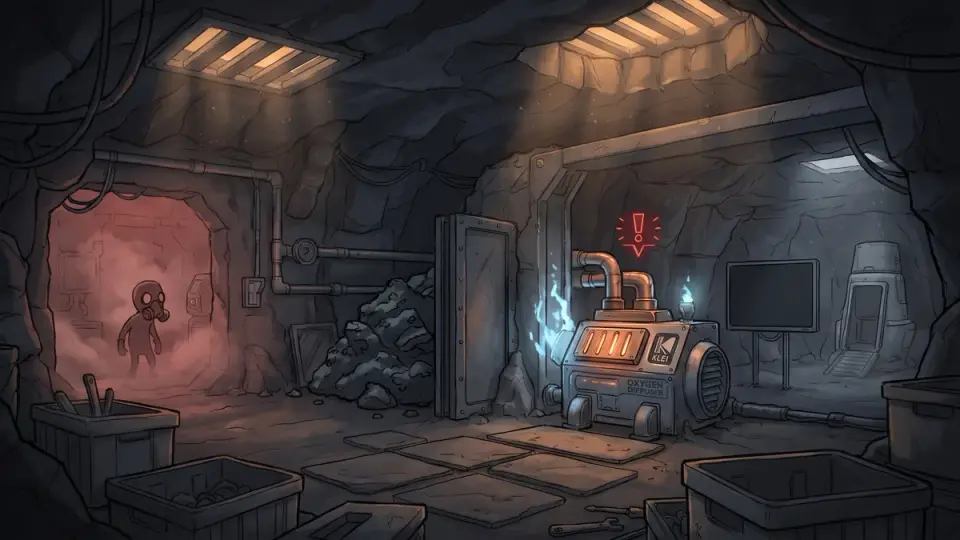
Click the Oxygen Diffuser and read its status lines before you change anything. The diffuser turns 550 g/s of algae into 500 g/s of oxygen while drawing 120 W. Each condition below stops or starves it, and each one shows a different status.
No power
Status: "No Power" on the building. Confirm: open the power overlay and trace the wire from the diffuser back to a generator or battery. Check whether the battery is empty. Early colonies usually run on a Manual Generator, which only produces power while a duplicant is running on it. Fix: reconnect any broken wire segment, then raise the priority of the generator errand or add a battery so short gaps don't cut the diffuser. Retest: watch the diffuser through one full generator cycle and confirm the warning doesn't come back when the battery dips.
Disabled or low priority
Status: a disabled notice on the building, or no warning at all but no operation. Confirm: check the Enable/Disable toggle in the building panel and the building's own priority setting. Fix: re-enable it, and set its priority at least as high as your other supply jobs. Retest: watch for the next algae delivery to arrive.
Waiting on algae
Status: a warning that the diffuser is missing its algae input. Confirm: look at the stored algae on the building. If it reads zero while the Resources panel shows algae in the colony, you have a delivery problem, not a production problem. The algae section below covers it. Fix: temporarily give the diffuser a high priority so the next Supply errand goes to it. Retest: confirm the stored amount climbs, then holds above zero for the rest of the cycle.
Overpressure
Status: "Overpressure." Confirm: hover over the gas tiles around the diffuser. It stops once the surrounding gas reaches 1,800 g per tile, and that gas can be oxygen. A rich, blue pocket around a stopped diffuser means the machine is fine and the air has nowhere to go. Fix: this is a distribution fault, so go straight to the next section. Retest: after you open a path, watch the diffuser return to operation as the local pressure falls.
Follow the air into bedrooms and work areas
When the diffuser sits in overpressure while your bedroom reads red, the oxygen is trapped. Gas only spreads through connected open tiles, so a diffuser boxed in by solid walls, closed doors, or a sealed floor fills its own pocket and stops.
Trace the route from source to problem room tile by tile on the overlay:
- Solid tiles block gas completely. A regular floor between a diffuser below and a bedroom above seals them apart.
- Mesh tiles and airflow tiles let gas through while duplicants still walk on them. Swapping a few floor tiles over a ladder shaft is the cheapest connection you can build.
- Ladders and open shafts carry gas freely. A central ladder shaft is the natural spine for early air.
- Doors pass gas only while they're open. A pneumatic door that's always closed walls off the room behind it.
Carbon dioxide is the other half of the airflow picture. Duplicants exhale it, and it's heavier than oxygen, so it sinks and pools in the lowest connected space. If your bedrooms sit at the bottom of the base, they collect CO2 from everything above them. Dig a low dead-end pit below your living space for it, and move beds and desks out of the lowest pocket.
Place the diffuser centrally, near where duplicants sleep and work, with open tiles in several directions. One well-placed diffuser in a connected base does more than two diffusers in sealed closets.
Make algae supply dependable
An algae shortage comes in two kinds, and they need different fixes. Depletion means the colony is running out of algae. A delivery failure means algae exists but isn't reaching the machine. Tell them apart before you act.
Check three things in order:
- Is it dug? Algae in natural tiles isn't usable stock. Duplicants have to dig it out as debris before anyone can deliver it, so mark the nearest algae deposits for digging.
- Is it reachable? Debris behind a wall, across a gap, or in an unbreathable pocket can trigger unreachable errands. Build ladders or clear a path, and store algae in a Storage Bin near the diffuser.
- Is someone assigned? Open the Priorities screen and make sure at least two duplicants have the Supply chore group enabled at a reasonable priority. If everyone is digging or building, deliveries starve.
If all three pass and the colony total keeps falling, you have real depletion. A single diffuser at full uptime uses 550 g/s, which is 330 kg of algae per 600-second cycle. That's the figure to compare against what's left.
Oxylite helps if your map has it. It off-gasses oxygen on its own until the surrounding pressure gets too high, so dug oxylite debris dropped in a bedroom buys breathing room while you fix the real fault. Treat it as a bridge: it runs out, and it can't stand in for a working source.
Decide whether production can support your duplicants
A standard duplicant breathes 100 g/s of oxygen. The Mouth Breather trait doubles that to 200 g/s, and Diver's Lungs cuts it to 75 g/s. Check each duplicant's traits before you count mouths.
The diffuser's 500 g/s is its rated output, and you only get it while the machine runs. Every stop for power, algae, or overpressure lowers what it delivers over a cycle. To see the real number, click the diffuser roughly ten times spread across one cycle and count how often it's operating.
Say you have four duplicants, one of them a Mouth Breather, and your checks show the diffuser running on 7 of 10. Swap in your own numbers:
- Demand: 3 × 100 + 200 = 500 g/s
- Dependable output: 500 g/s × 0.7 = 350 g/s
- Shortfall: 150 g/s
The fix here isn't another diffuser. It's uptime. Even at full uptime this diffuser makes exactly 500 g/s against 500 g/s of demand, which leaves no margin for a single missed delivery. That gives three clear decisions:
- Uptime below full: fix power and algae delivery first, then recount.
- Full uptime, zero margin: don't recruit. A fifth duplicant guarantees a deficit.
- Full uptime and still short: a second diffuser is justified, if the algae can feed it.
That last condition is where the math continues. Two diffusers at full uptime burn 660 kg of algae per cycle. Say your stored algae plus the deposits you can reach total about 4,000 kg. That lasts about 12 cycles on one diffuser and about 6 on two. A second diffuser stabilizes you now and shortens your algae clock, so start planning the next source the day you build it.
Choose another diffuser or an electrolyzer
For immediate stabilization, a supported diffuser setup is good enough. It's simple, it uses equipment you already have, and its failures are easy to read. Keep it while you prepare the longer-term answer.
The early electrolyzer is the standard next stage, but only start it once you're ready on four fronts:
- Research: you need to unlock the Electrolyzer before you can build it.
- Water delivery: it consumes 1 kg/s of water, which is 600 kg per cycle. That usually means a liquid pump and pipes from a water source, not bottles carried by hand.
- Power: the electrolyzer draws 120 W, and the pump adds more. A single manual generator won't carry that comfortably.
- Gas handling: it outputs 888 g/s of oxygen and 112 g/s of hydrogen, and it also stops on overpressure.
Hydrogen is the new responsibility. It's the lightest gas, so it rises and gathers in the top of your base, and if you ignore it your upper rooms fill with gas no one can breathe. Plan a gas pump at the top of the room to collect it, ideally feeding a hydrogen generator.
Heat is the other one. The electrolyzer emits its gases at 70 °C or hotter, and that warmth spreads through every room the oxygen reaches. Before you commit, read up on how to manage the heat from your next oxygen setup, because cooling is far easier to plan for than to retrofit.
If water, power, and research aren't in place, stay on diffusers and keep recruitment frozen. A half-built electrolyzer with intermittent water fails the same way an underfed diffuser does.
Retest before you expand
Go back to the same rooms you inspected at the start, at two moments: during normal work hours and during sleep. A bedroom that reads blue at noon can turn red overnight once everyone is in it exhaling. Hover over the same tiles you checked before so you're comparing like with like.
Then recheck the inputs across several cycles, because one good snapshot can hide a slow decline. Algae stock should hold steady or fall at a rate you can predict, battery charge shouldn't hit zero, and the diffuser should be operating whenever you click it.
Before you expand again
When every item holds, accept the next duplicant and run the same check again after they arrive. If any item fails, go back to its row in the symptom table rather than building something new.
The call
When your duplicants can't breathe, start with a status panel and two tile readings, not a new building. Most early oxygen crises come down to a diffuser stopped by power or overpressure, or to oxygen trapped behind a solid floor, and neither needs more production.
Add a second diffuser only when the first runs at full uptime, the rooms are connected, and your algae can feed both. Move to an electrolyzer once water, power, and hydrogen handling are ready. Accept the next duplicant only after the checklist holds through a full work-and-sleep cycle. Breathable rooms you can rely on are the win here; a perfect oxygen network can wait.